Solutions · Fundraising
Fundraisers that know who’s making a difference.
For schools, teams, clubs, and nonprofits: give every participant their own link and QR code, and see exactly who’s raising the most — without listing every family by hand.
Participant links & QR codes
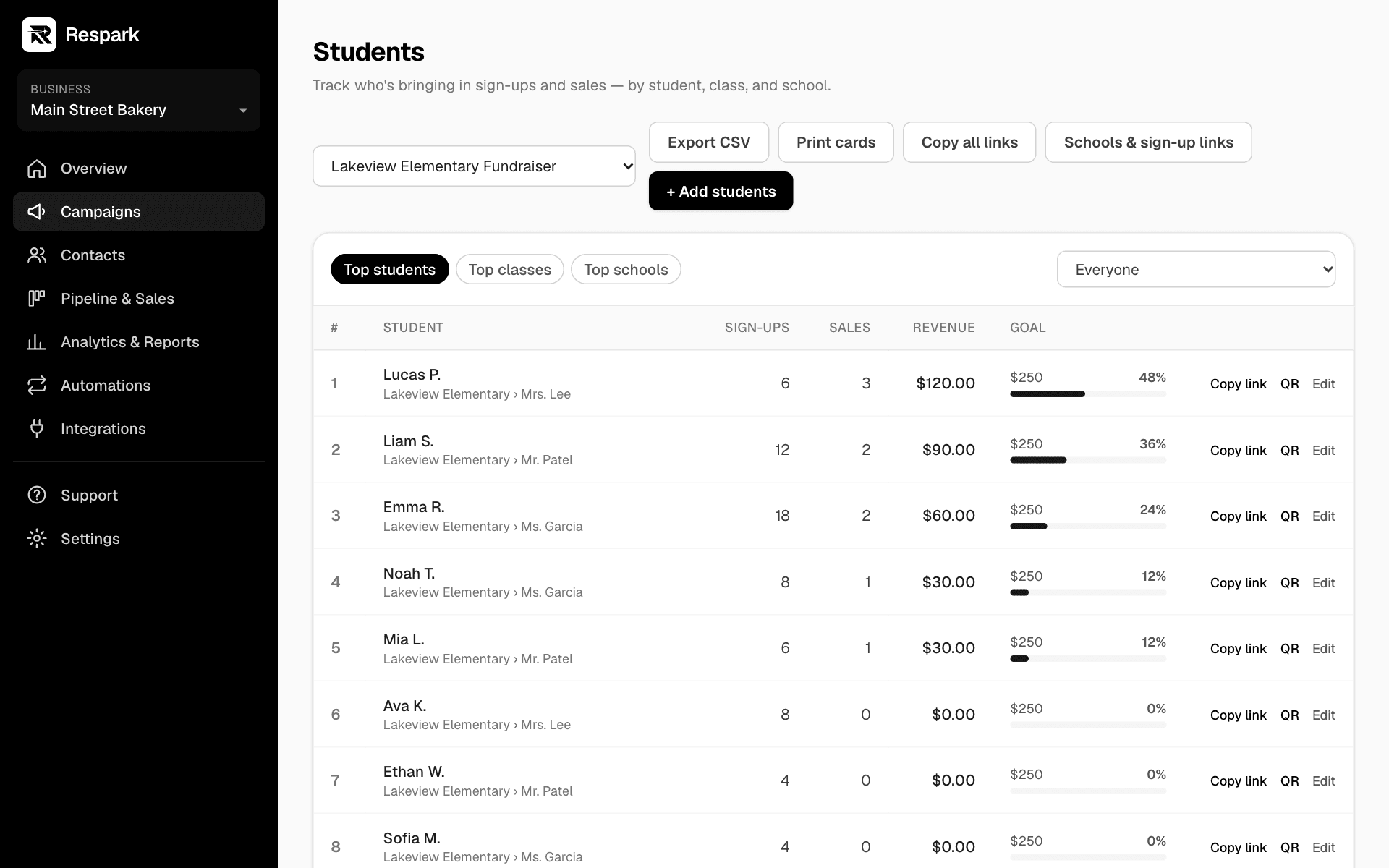
Each student, player, or volunteer gets a personal link and QR code to share with family and friends. Sign-ups and sales through it are credited to them.
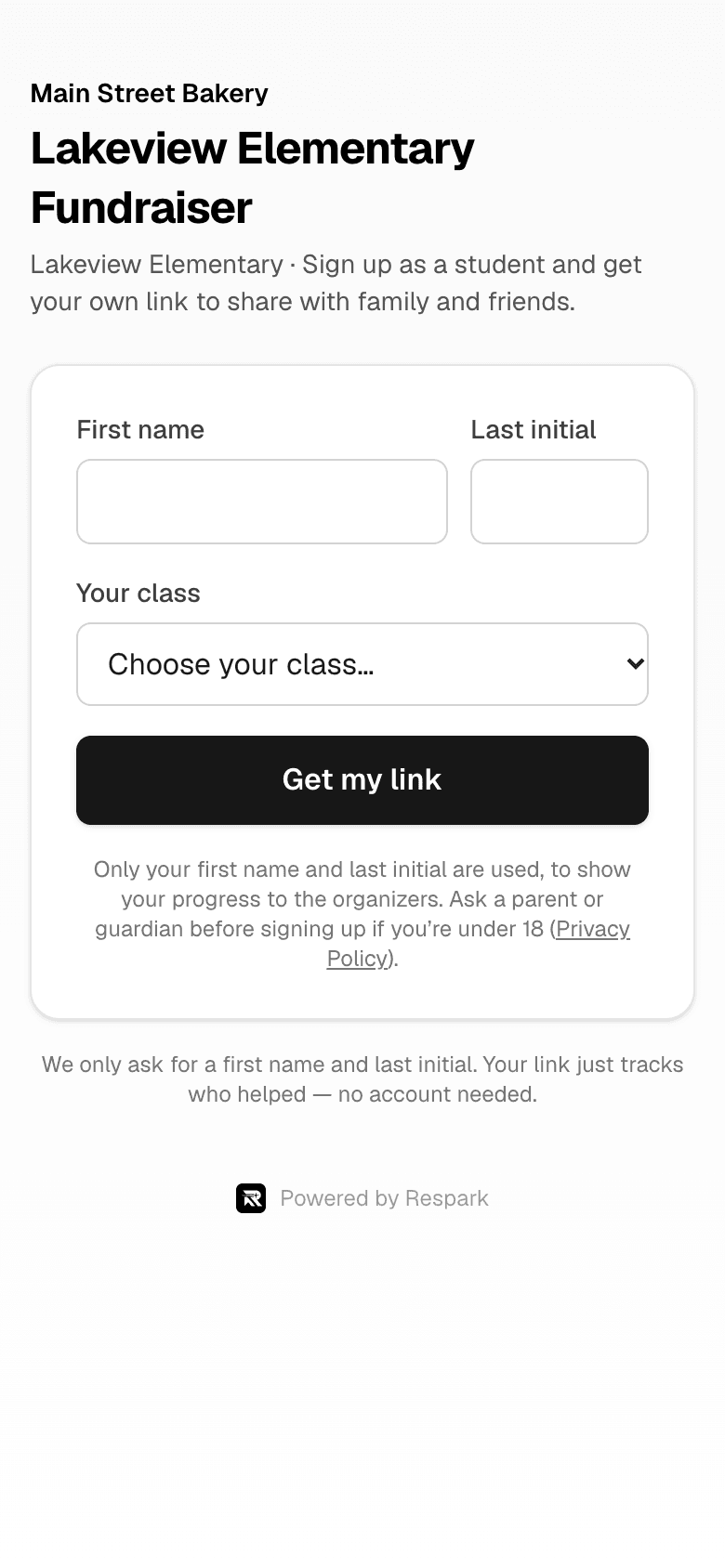
Self sign-up
Share one sign-up QR code per school or team. Participants enter only a first name and last initial, pick their group, and get their link instantly.
Leaderboards
See the top participants, classes, teams, and schools, with goals for each — great for friendly competition.
Sales & donation tracking
Record or import sales, and each one counts toward the campaign goal and the right participant. Money raised is kept separate from business revenue.
Printable cards & posters
Print a sheet of cut-out cards, one per participant with their QR code, and sign-up posters for each group.
Reports
A printable campaign report and spreadsheets of participant results for organizers and sponsors.
 Sample data
 Sample data
How it works
Up and running in three steps.
- 1
Create a fundraising campaign
Set the goal and dates, and publish the campaign page.
- 2
Add schools or teams
Use your own words (School → Class → Student, or Club → Team → Player) and turn on self sign-up.
- 3
Share and track
Participants share their links; watch sign-ups, sales, and leaderboards update.
Good to know
- Participants share only a first name and last initial. Supporters who sign up confirm they’re 18 or older, and choose separately whether to get emails or texts.
- Digital coupon books can be sold through the campaign page, for example with a linked Shopify product.
- Accepting payments and donations directly on the campaign page, with payouts to the organization’s bank accountComing soon
- Respark provides the software; the organization running the fundraiser is responsible for any approvals and registrations it needs.